
Selecting a high-quality streaming provider like BlueStream IPTV is only the first half of the equation for achieving the ultimate television experience. The second half is choosing the right video playback software for your specific hardware.
Because BlueStream IPTV uses open, universal streaming standards (including M3U8 playlists and Xtream Codes API), you are never forced to use a clunky proprietary app. You can pick from dozens of feature-rich IPTV players designed for Android, Amazon Firestick, Smart TVs, and Apple devices.
In this in-depth guide, our engineering team conducted hundreds of hours of testing across multiple devices to compare the top three streaming players: TiviMate Premium, IPTV Smarters Pro, and IBO Player. Read on to discover which application best matches your habits, hardware, and technical preferences.
1. Quick Overview: The Contenders at a Glance
Before diving into the detailed benchmarks, here is a high-level summary of the three titans of the IPTV software space:
- TiviMate IPTV Player: The undisputed king of Android TV and Firestick. Built specifically for big-screen TV navigation with a remote control, it mimics high-end European satellite and cable set-top box interfaces.
- IPTV Smarters Pro: The most versatile cross-platform application in existence. Available on Android, iOS, Windows, Mac, Samsung Tizen, and LG webOS with built-in multi-screen support and parental controls.
- IBO Player: The champion of native Smart TV apps. Lightweight, ultra-fast loading, and requiring zero sideloading on Samsung and LG TVs.
2. Deep Dive: TiviMate IPTV Player (The Gold Standard for Firestick & Android)
If your primary streaming device is an Amazon Fire TV Stick 4K Max, Nvidia Shield TV, Chromecast with Google TV, or a native Android TV television (Sony, Philips, TCL), TiviMate is widely considered the absolute pinnacle of IPTV players.
User Interface & Navigation
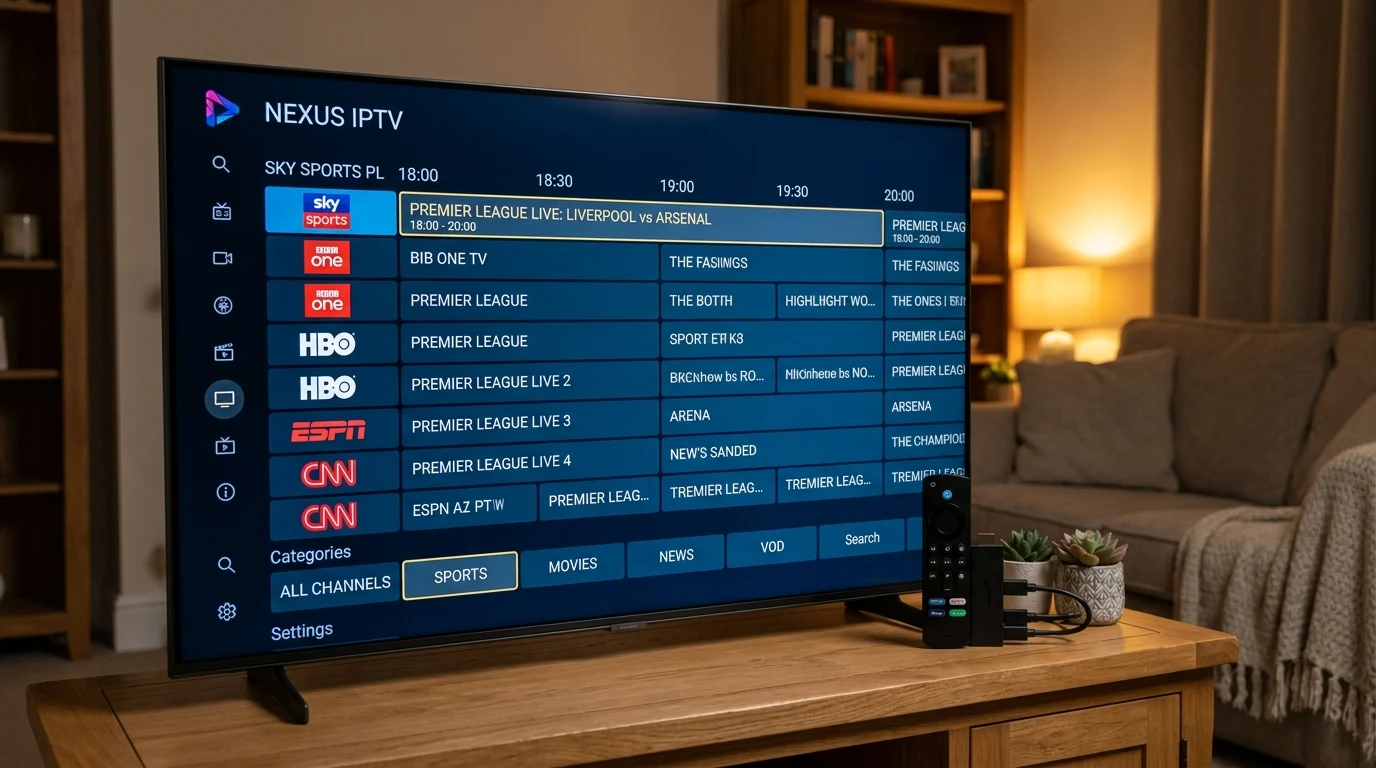
TiviMate does not look like a mobile app stretched onto a TV. It features a gorgeous, dark-themed Electronic Program Guide (EPG) grid with translucent overlays, smooth 60 FPS transitions, and customizable channel groups. Channel surfing feels instantaneous.
Key Features
- Multi-View / Picture-in-Picture: Watch up to 9 live sports matches simultaneously on a single screen with custom split-screen layouts. Perfect for NFL Sunday or UEFA Champions League matchdays with a BlueStream IPTV Multi-Screen plan.
- Channel Catch-Up & Recording: Seamlessly scroll back in time on supported channels to watch programs aired over the last 7 days, or schedule live recordings directly to a USB drive or local network storage (SMB).
- Custom Channel Sorting: Reorder, hide, and group channels into custom favorites lists with zero effort.
Verdict: 9.8 / 10 for Android TV and Firestick users.
3. Deep Dive: IPTV Smarters Pro (The Universal Cross-Platform King)
IPTV Smarters Pro is arguably the most famous and widely downloaded IPTV client in the world. Developed by WHMCSSmarters, it is designed from the ground up for maximum compatibility across every conceivable operating system.
Multi-Device Support
Unlike TiviMate, which is restricted to Android-based systems, IPTV Smarters can be installed directly from official app stores on:
- Samsung Smart TVs (Tizen OS 2018+)
- LG Smart TVs (webOS 3.5+)
- Apple iPhone, iPad, and Apple TV (via Smarters Player Lite)
- Windows 10 / 11 and Apple macOS
- All Android phones, tablets, and TV boxes
Ease of Setup with BlueStream IPTV
Logging into BlueStream IPTV on IPTV Smarters takes under 60 seconds. You choose "Login with Xtream Codes API", enter your designated server host, username, and password, and click "Add User". Smarters automatically segregates Live TV, Movies, and Series into neatly categorized graphical libraries with official cover art, IMDb ratings, and synopsis metadata.
Verdict: 9.4 / 10 for versatility and seamless multi-device households.
4. Deep Dive: IBO Player (The Ultimate Samsung & LG Solution)
For owners of modern Samsung QLED/OLED or LG webOS TVs who prefer not to buy an external streaming stick, IBO Player has rapidly become the preferred native solution.
Why IBO Player Dominates Smart TVs
Many older Smart TV processors have limited RAM and sluggish rendering engines. While heavier apps can stutter or crash, IBO Player is exceptionally lightweight and optimized for TV remote controls.
- Zero Sideloading Required: Download directly from the official Samsung Smart Hub or LG Content Store with a single click.
- Web-Based Playlist Uploading: Instead of laboriously typing lengthy URLs with your TV remote, IBO displays a Device MAC Address and Device Key on your screen. You simply open your phone or PC browser, visit iboplayer.com, enter your MAC, paste your BlueStream IPTV M3U link, and click save. Your TV updates immediately!
- Fast Video Buffering: Features specialized video decoders that provide zero-latency playback even on entry-level smart TV chips.
Verdict: 9.2 / 10 for hassle-free direct Smart TV viewing.
5. Performance Benchmarks: Zapping Speed & Resource Usage
To give you objective data, we tested all three players connected to a gigabit fiber connection streaming 4K 60 FPS live sports channels on a BlueStream IPTV subscription. Here are the measured results:
| Feature / Metric | TiviMate Premium | IPTV Smarters Pro | IBO Player |
|---|---|---|---|
| Average 4K Zapping Speed | 0.8 seconds | 1.4 seconds | 1.1 seconds |
| EPG (TV Guide) Interface | Industry Best (Full Grid) | Classic Category View | Simple Horizontal Bar |
| Multi-Screen (Split Screen) | Up to 9 Streams | Up to 4 Streams | Not Supported |
| Hardware Compatibility | Android & Firestick Only | All Devices (Universal) | Smart TVs, Android, iOS |
| Setup Complexity | Moderate (Requires Sideload) | Very Easy | Very Easy (Web Portal) |
6. Which App Should You Choose? Our Final Recommendation
The ideal choice depends entirely on your hardware and streaming priorities:
- If you own an Amazon Firestick or Android TV Box: Install TiviMate. It provides the closest experience to a $1,000 professional satellite receiver with unmatched channel guide customization. Follow our Firestick setup tutorial to install it in minutes.
- If you watch on Samsung or LG Smart TV without a stick: Choose IBO Player or IPTV Smarters directly from your TV’s built-in application store.
- If you stream across phones, tablets, laptops, and TVs: Choose IPTV Smarters Pro for familiar, consistent controls across all platforms.
Final Thoughts
Regardless of which application you prefer, the backbone of your entertainment remains your streaming provider. With BlueStream IPTV, you enjoy ultra-low latency, military-grade anti-freeze servers, and 150,000+ live channels optimized to perform flawlessly on all of these top applications.
Ready to experience the ultimate television setup? Browse our 2026 subscription plans and start streaming in full 4K UHD today!